はじめに
昔やってた界隈のブログがインターネットアーカイブにまだ残っているのが腹立たしいのでGeminiにやり方を聞いてアーカイブ削除依頼をしてみました。
※削除したいサイトのドメイン所有権が今現在無い場合は面倒かもしれません。
過去のドメイン代支払いの領収書とかがあったら行けるかも…?
前提として現在以下の状況です。
・2023年頃~にXserverドメインで新規取得をした
・その後XserverレンタルサーバーでWordpressのブログをしていた記録がアーカイブされている
・そのブログは消してあるのでURL直打ちしてもアクセス不可
・そのドメインの所有権は破棄しておらず今現在も私のもの
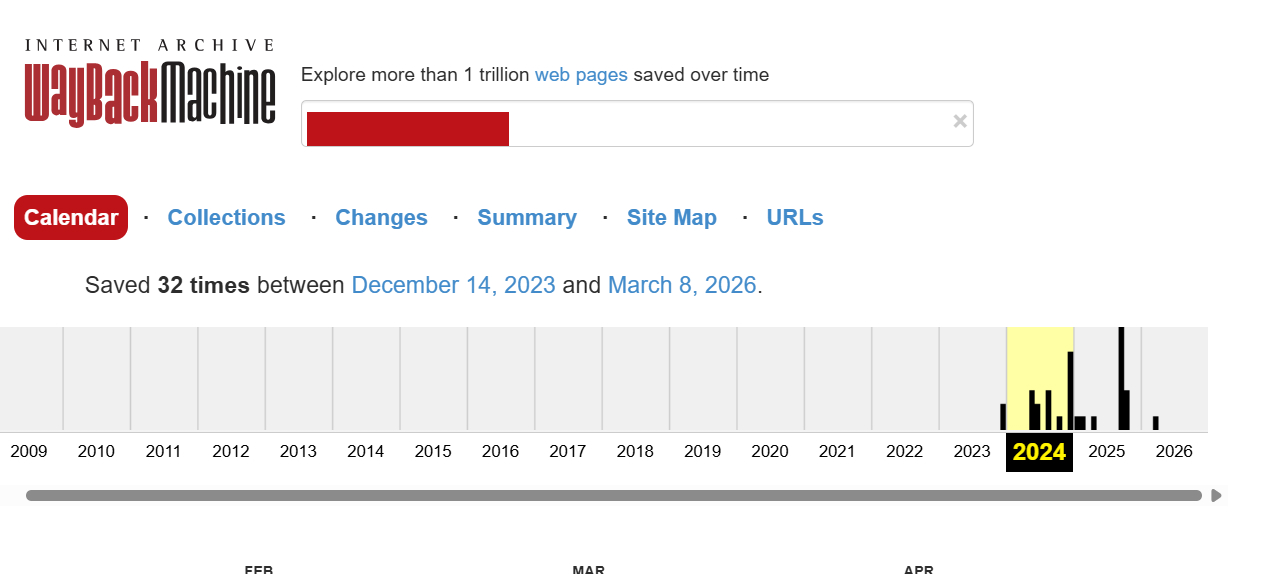
削除依頼前です。
放置しておくと私が死んだあとも永久に残ります。
1.メールで削除依頼をする
以下の内容で問い合わせ先アドレスにメールしました。
書きぶりはGeminiに丸投げしています。
サイトはもう消してあるのでルートディレクトリにファイル(waybackverify.txt)をアップロードする手法が使えません。
なのでDNSレコード追加で所有権を証明する手法にしたいです~的な書き方をしています。
送信先:info@archive.org

件名:Request for URL Exclusion from Wayback Machine,[ ◯◯◯◯ ]

本文:
Dear Internet Archive Team,

I am writing to formally request the exclusion and permanent removal of my website from the Wayback Machine (web.archive.org).

Below are the details of my request:

Target URL: https://◯◯◯◯

Period to exclude: All archives

Reason for request: I am the current rightful owner of this domain. Although the website has already been taken down and is no longer active, I still legally retain the ownership of this domain. For privacy and security reasons, I do not wish for the historical snapshots to be publicly accessible.

Since the website is currently inactive, I cannot upload a verification file to the server. However, I can prove my ownership through DNS TXT record configuration or other alternative methods upon your request.

Thank you for your time and assistance.

Sincerely,
[アルファベット表記の自分の名前]
[このメールを送ったアドレス]
※和訳

インターネットアーカイブ・チーム 御中

私は、私のウェブサイトをWayback Machine(web.archive.org)から除外、および永久に削除することを正式に要請するために、このメールを書いております。

私の要請に関する詳細は以下の通りです。

対象URL: https://◯◯◯◯

除外対象期間: すべてのアーカイブ(全期間)

要請の理由: 私はこのドメインの現在の正当な所有者です。該当のウェブサイトはすでに閉鎖されており、現在は公開されていませんが、私は現在もこのドメインの所有権を法的に保持しています。プライバシーおよびセキュリティ上の理由から、過去のスナップショットが不特定多数にアクセスできる状態のままにしておくことは望みません。

現在、ウェブサイトが非アクティブ(閉鎖中)であるため、サーバーに認証用ファイルをアップロードすることができません。しかしながら、ご要望があれば、DNSのTXTレコードの設定、またはその他の代替方法によって、私が所有者であることを証明することが可能です。

お時間を割いてご対応いただき、誠にありがとうございます。

敬具
2.返信が来る
3日ぐらい経ったら返信が来ました。
内容は以下です。
From:Patron Services Purple (Internet Archive)
※アドレスはsupport@archivesupport.zendesk.com

件名:[Internet Archive] Re: Request for URL Exclusion from Wayback Machine,[ ◯◯◯◯ ]

本文:
##- Please type your reply above this line -##
Your request (◯◯◯◯◯) has been updated. To add additional comments, reply to this email.


Patron Services Purple (Internet Archive)

Jun 24, 2026, 11:09 CDT

Hello,

Thank you for contacting us. The Wayback Machine is a non-profit project founded by the Internet Archive to preserve a historical record of the Internet for purposes of research and broad public benefit. Thank you for considering the potential benefits of a more complete archive as you submit your request.

To allow us to better review and assist with this request, please follow the steps below.

STEP 1 : LIST (a) THE URL/URL PATH THAT YOU WISH TO EXCLUDE, (b) THE PERIOD OF YOUR OWNERSHIP, AND (c) THE PERIOD YOU WISH TO EXCLUDE (where possible, we will target an exclusion to the requested period for a verified request)

EXAMPLE 1 (multiple URLs/paths from the same domain for same time period):
URL/URL path to exclude: site1.com/dir/file.html

URL/URL path to exclude: site1.com/images/

time period of domain ownership: 2020-02-25 to present

time period to exclude: 2020-02-25 to future


EXAMPLE 2 (full domain & subdomains):

URL/URL path to exclude: site2.com (and all subdomains)

time period of domain ownership: 1998-01-31 to 2001-08-30

time period to exclude: 1998-01-31 to 2001-08-30


(PLEASE NOTE: if the whois listing for the domain shows that the most recent registration was later than the period you wish to exclude, we may ask for verification of past ownership in addition to any verification of current ownership)

STEP 2 :  Select and follow the applicable section(s) below for the URL(s) you want to exclude from the Wayback Machine - we ask that you do not submit screenshots in relation to any of these options.

IF YOU PERSONALLY OWN THE WEBSITE(S) for the URL(s), please help us verify your ownership for those URLs by doing one of the following:

・Add a text file with your request to the site’s root directory (e.g., domain.com/waybackverify.txt) or to your DNS records.

・If a main email contact is identified on your site, send us your request from that address (and include a link to the place on the site where the contact is listed). Note: for companies with general customer service addresses listed as contacts and the like, we may request further verification.

・If the registrant email is publicly viewable on a WHOIS lookup listing, send us an email from that address (and a link to the whois listing where it is displayed).

・If your personal information (name, point of contact, verifiable image of self) appears on the site in a way that identifies you as owner, send us a scan of a valid photo ID bearing the same unique personal information (other sensitive information such as birth date, address, or phone number can be redacted). Please also send us a link to where it appears (not screenshots).

・Send us invoices/receipts for the registration/renewal of the domain/website, addressed to you as the owner, and dated in accordance with the archives you have requested exclusion of (the files should reference the domain/website specifically). To satisfy this option, please send the invoices/receipts to us as unmodified PDFs.

If none of the applicable verification options are available to you and you believe there is an alternative method to clearly and definitively demonstrate your ownership, you may send us pertinent information in a reply to this email. Please understand that we will make a good faith review of any directly relevant and manageable material, but do not guarantee any outcome beforehand.

Additionally, if you believe that any archives infringe your copyright, a Copyright Claim may be submitted in accordance with our Copyright Policy, posted on our site at http://www.archive.org/about/terms.php.

Thank you for working with our process.

---
The Internet Archive Team
※和訳

##- この線より上に返信をご記入ください -##
リクエスト(◯◯◯◯◯)が更新されました。コメントを追加する場合は、このメールに返信してください。

パトロンサービス担当(Internet Archive)
2026年6月24日

ご連絡ありがとうございます。Wayback Machineは、研究や公益のためにインターネットの歴史的記録を保存することを目的とした、Internet Archiveによる非営利プロジェクトです。リクエストをお送りいただくにあたり、アーカイブを完全な形で残すことの利点についてもご一考いただけますと幸いです。

今回のリクエストを適切に審査し、お手伝いさせていただくために、以下の手順に従ってください。

ステップ1:以下の項目をリストアップしてください
(a) 除外を希望するURL/URLパス、(b) あなたが所有していた期間、(c) 除外を希望する期間
(検証可能なリクエストであれば、可能な限りご希望の期間を除外対象とします)

例1(同一ドメインの複数のURL/パス、同一期間の場合):

除外対象URL/パス:site1.com/dir/file.html

除外対象URL/パス:site1.com/images/

ドメイン所有期間:2020年2月25日 ~ 現在

除外希望期間:2020年2月25日 ~ 将来

例2(ドメイン全体とサブドメイン):

除外対象URL/パス:site2.com(およびすべてのサブドメイン)

ドメイン所有期間:1998年1月31日 ~ 2001年8月30日

除外希望期間:1998年1月31日 ~ 2001年8月30日

(注意:WHOIS情報での直近の登録時期が、あなたが除外を希望する期間よりも後の日付である場合、現在の所有権の証明に加えて、過去の所有権の証明を求めることがあります。)

ステップ2:該当する証明方法を選択し、手順に従ってください
除外を希望するURLについて、以下のいずれかの方法で所有権の確認にご協力ください。(これらに関してはスクリーンショットの提出はお控えください。)

方法1: サイトのルートディレクトリにテキストファイルを配置する(例:domain.com/waybackverify.txt)、またはDNSレコードに追加する。

方法2: サイト上に代表メールアドレスが記載されている場合は、そのアドレスからリクエストを送信する(サイト上の連絡先が記載されている箇所のリンクを含めること)。※一般的な顧客サービス窓口などが記載されている場合は、追加の証明を求めることがあります。

方法3: WHOIS検索で登録者メールアドレスが公開されている場合は、そのアドレスからメールを送信する(表示されているWHOISリストへのリンクを添えること)。

方法4: あなたの個人情報(氏名、連絡先、本人と確認できる画像)が所有者であることを示す形でサイトに掲載されている場合、同じ個人情報が記載された有効な身分証明書のコピー(スキャンデータ)を送信する(生年月日、住所、電話番号などの他の機微情報は伏せて構いません)。併せて、掲載箇所へのリンクを送信してください(スクリーンショットは不可)。

方法5: ドメインやウェブサイトの登録・更新に関する請求書や領収書を送信する。所有者としてあなたの名前が記載されており、除外を希望するアーカイブ期間と合致している必要があります(ファイルにはドメインやウェブサイト名が明記されていること)。このオプションを利用する場合は、請求書や領収書を未編集のPDF形式で送ってください。

上記の証明方法がどれも利用できず、所有権を明確かつ確実に証明する別の方法があるとお考えの場合は、その旨をこのメールへの返信にてお送りください。誠実に対応・検討いたしますが、事前に結果を保証するものではありません。

また、アーカイブが著作権を侵害しているとお考えの場合は、当サイト(http://www.archive.org/about/terms.php)に掲載されている著作権ポリシーに従い、著作権侵害の申し立てを行うことができます。

手続きにご協力いただきありがとうございます。

Internet Archive チーム
要するに該当ドメインの所有権を証明する手法が何個かあるので一番やりやすい方法で証明してね、ということです。
3.DNSレコードを追加してから返信
Geminiに聞いたら以下の内容でTXTレコードを追加するといいぞ、とのことでした。
ホスト名:空欄
種別:TXT
内容:Wayback Machine URL Exclusion Request for ◯◯◯◯ – Ticket #◯◯◯◯◯
※Xserverドメインのほうではなく、レンタルサーバーにドメイン登録してからそっちの管理画面で操作してます。
動作確認は以下のサイトで出来ます。

返信したメールは以下。
Dearとか使って敬語になってるけど内心は勝手にアーカイブすんじゃねえぞふざけんな死ねと思ってますが。
本文:
Dear Internet Archive Team,

Thank you for your response. Below are the details and verification for my request (Ticket #◯◯◯◯◯).

STEP 1:
(a) URL/URL path to exclude: ◯◯◯◯ (and all subdomains)
(b) time period of domain ownership: 2023 to present
(c) time period to exclude: All archives (from the past to future)

STEP 2:
As the website is currently inactive, I have chosen to verify my ownership by adding a text record to my DNS records (Option 1).

I have added the following TXT record to my domain (◯◯◯◯):
"Wayback Machine URL Exclusion Request for ◯◯◯◯ - Ticket #◯◯◯◯◯"

Please check the DNS TXT record to verify my ownership and proceed with the exclusion.

Thank you for your assistance.

Sincerely,
[アルファベット表記の自分の名前]
[このメールを送ったアドレス]
※和訳

インターネットアーカイブ・チーム 御中

ご返信いただきありがとうございます。私の要請(チケット番号:#◯◯◯◯◯)に関する詳細および証明内容は以下の通りです。

ステップ 1:

(a) 除外対象URL/パス:◯◯◯◯(およびすべてのサブドメイン)

(b) ドメイン所有期間:2023年 ~ 現在

(c) 除外希望期間:すべてのアーカイブ(過去から将来にわたって)

ステップ 2:
現在ウェブサイトが閉鎖中(非アクティブ)であるため、私はDNSレコードにテキストレコードを追加する方法(方法1)で所有権を証明することを選択いたしました。

私のドメイン(◯◯◯◯)に、以下のTXTレコードを追加いたしました。
「Wayback Machine URL Exclusion Request for ◯◯◯◯ - Ticket #◯◯◯◯◯」
(※◯◯◯◯のURL除外要請 - チケット番号 #◯◯◯◯◯)

DNSのTXTレコードをご確認いただき、私が所有者であることを検証の上、除外手続きを進めていただけますようお願いいたします。

ご対応いただき、誠にありがとうございます。

敬具
4.返信が来て対応完了
数日後に返信が来ました。
本文:
##- Please type your reply above this line -##
Your request (◯◯◯◯◯) has been updated. To add additional comments, reply to this email.


Patron Services Purple (Internet Archive)

Jun 26, 2026, 12:29 CDT

Hello,

The following has been submitted for exclusion from the Wayback Machine at web.archive.org:

◯◯◯◯

Please allow up to a day for the automated portions of the process to run their course and for the changes to take effect.

---
The Internet Archive Team
※和訳

##- この線より上に返信をご記入ください -##
リクエスト(◯◯◯◯◯)が更新されました。コメントを追加する場合は、このメールに返信してください。

パトロンサービス担当(Internet Archive)
2026年6月26日

こんにちは。

以下の対象について、Wayback Machine(web.archive.org)からの除外手続きが送信(受理)されました。

◯◯◯◯

自動処理システムが一通り実行され、変更が完全に反映されるまで、最大1日ほどお待ちいただけますようお願いいたします。

Internet Archive チーム
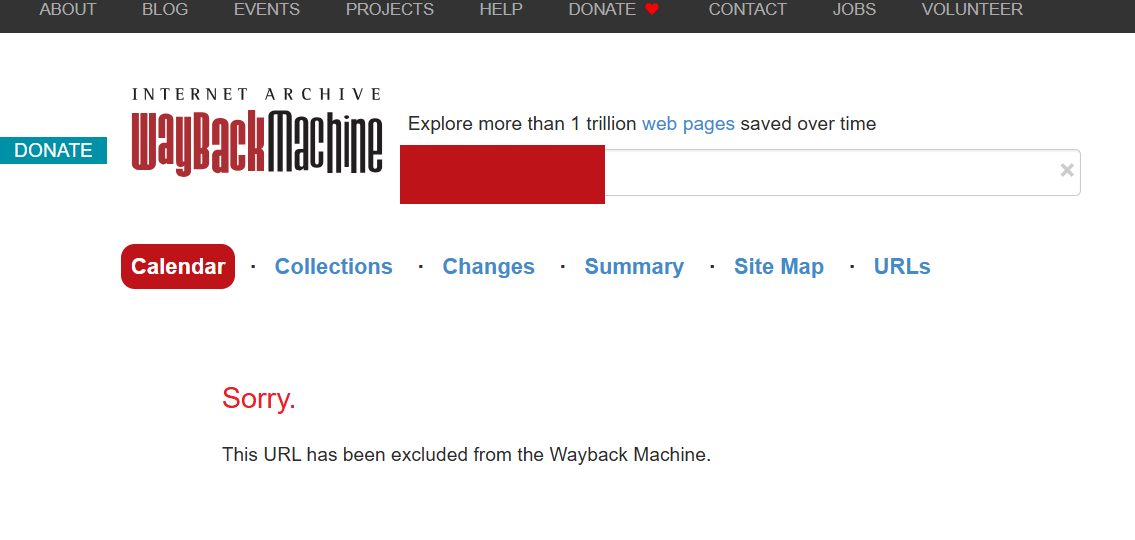
見たらちゃんと消えていました。
5.今回の対応は恒久的とし、削除したものは二度と復活させないことを念押しするメールを送付
Dear Internet Archive Team,

Thank you for confirming the exclusion of ◯◯◯◯ from the Wayback Machine. I appreciate your prompt assistance.

Regarding this process, I would like to request an additional preventative measure to ensure long-term privacy.

Could you please confirm that the archives removed under this request (Ticket #◯◯◯◯◯) will remain permanently excluded and will NOT be restored or made publicly accessible in the future, even if the domain ownership changes or if a future registrant requests their restoration?

As the owner during this period (2023 to present), I do not consent to the public display of these historical snapshots under any circumstances, now or in the future. I want to ensure that this exclusion is permanent and bound to my period of ownership, regardless of the domain's future status.

Thank you for your understanding and cooperation.

Sincerely,
[アルファベット表記の自分の名前]
[このメールを送ったアドレス]
※和訳

Internet Archive チーム 御中

◯◯◯◯をWayback Machineから除外していただいたことを確認するご連絡をくださり、ありがとうございます。迅速なご対応に感謝いたします。

この手続きに関連して、長期的なプライバシーを確保するための追加の予防措置をお願いしたく存じます。

今回のリクエスト(チケット番号:#◯◯◯◯◯)に基づいて削除されたアーカイブについて、将来的にドメインの所有者が変更されたり、今後のドメイン登録者が復元を要求したりした場合であっても、永続的に除外され続け、将来的に復元されたり一般に公開されたりすることはないという点をご確認いただけますでしょうか。

該当期間(2023年から現在まで)の所有者として、私はどのような状況下においても、現在および将来にわたり、これらの過去のスナップショットが一般に公開されることに同意いたしません。ドメインの今後のステータスに関わらず、この除外措置が私の所有期間に紐づく形で永続的なものとなるようにしたいと考えております。

ご理解とご協力のほど、よろしくお願い申し上げます。

敬具
→これに対して返信は来ませんでした。
メール二回送ったけどダメでした。
おまけ:Wayback Machineからのクロールを拒否する方法
WordPressの場合ですが。
robots.txtに追記するのが良いらしいです。
現在の設定は例えばこのサイトなら以下のURLから見れます。
https://yuki-diary.net/robots.txt
既存のコードに、
User-agent: ia_archiver
Disallow: /
の2行を追加します。
例えばこのサイトなら以下の内容になります。
User-agent: ia_archiver
Disallow: /

User-agent: *
Disallow: /wp-admin/
Allow: /wp-admin/admin-ajax.php

Sitemap: https://yuki-diary.net/sitemap.xml
Sitemap: https://yuki-diary.net/sitemap.html
自作のrobots.txtをFileZillaとかでpublic_html配下に保存するとOKです。
効果は不明ですが。
法解釈を変えて意地でもアーカイブしてきそうな気がしますがね。
この状態でアーカイブ申請したらどうなるんでしょうね。
おしまい。